
Python Topic
Python: Variables, Data Types, Input/Output, and Basic Operators.
Think of learning a new language. You start with the alphabet, then words, then how to form simple sentences. This is exactly that, but for the Python programming language.
Python Introduction
-
Python is a high-level, interpreted programming language.
-
Known for readable syntax and wide applicability: web dev, data science, AI, automation, etc.
-
Python files have a
.pyextension.
1. Variables
A variable is like a labeled box where you can store a piece of data. You give the box a name, and then you can put a value inside it, retrieve the value, or change it later.
Analogy: Imagine a warehouse with boxes. The box has a label "customer_name" and inside it is a piece of paper with "Alice" written on it.
Python Code:
python
# Creating variables is simple: name = value
age = 25
name = "Alice"
price = 19.99
is_student = True
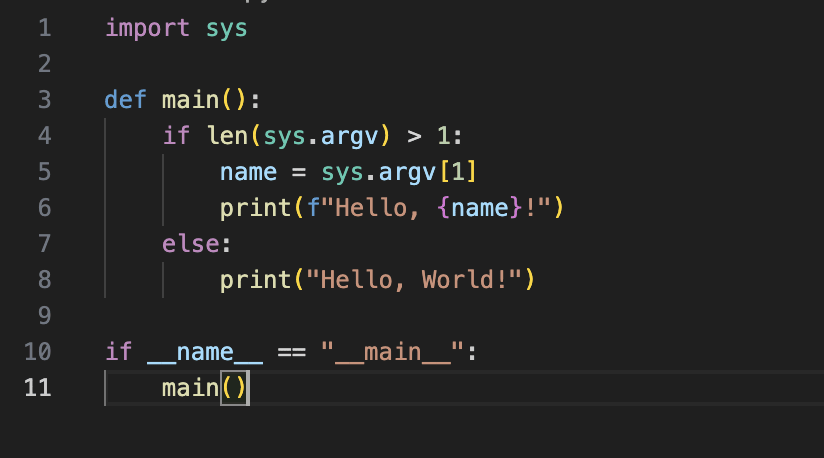
Run with: python hello.py or python hello.py John
Key Points:
-
Assignment: You use the
=sign to assign a value to a variable. It reads as "is assigned to" (e.g.,ageis assigned to25). -
Naming: Variable names should be descriptive and follow rules (start with a letter/underscore, contain only letters, numbers, underscores).
-
Dynamic: You can change a variable's value and even its data type later.
python
x = 10      # x is an integer
x = "hello" # Now x is a string. This is allowed!
2. Data Types
The data type tells Python what kind of data is inside the "box". This is crucial because it determines what you can do with that data.
Here are the most common basic data types:
| Data Type | Python Keyword | Example | Description |
|---|---|---|---|
| Integer | int |
42, -10, 0 |
Whole numbers (no decimals). |
| Float | float |
3.14, -0.001, 2.0 |
Numbers with decimal points. |
| String | str |
"Hello", 'Python' |
A sequence of characters (text) inside quotes. |
| Boolean | bool |
True, False |
Represents logical values: either True or False. |
Checking Data Type: You can use the type() function to check the type of any variable.
python
print(type(age))       # Output: <class 'int'>
print(type(name))      # Output: <class 'str'>
print(type(price))     # Output: <class 'float'>
print(type(is_student))# Output: <class 'bool'>
3. Input / Output (I/O)
This is how your program communicates with the outside world.
Output: print()
The print() function is used to display information to the user (in the console/terminal).
python
name = "Bob"
age = 30

print("Hello, world!") # Outputs a simple string
print(name)            # Outputs the value of a variable
print("My name is", name, "and I am", age, "years old.") # Outputs multiple items
Input: input()
The input() function is used to get information from the user. It always returns the user's input as a string.
python
user_name = input("Enter your name: ") # Prompts the user and waits
print("Hello,", user_name, "!")

# Converting input: Since input() gives a string, you often need to convert it.
user_age = int(input("Enter your age: ")) # Converts the input string to an integer
print("Next year, you will be", user_age + 1)
4. Basic Operators
Operators are special symbols that perform operations on variables and values.
Arithmetic Operators (For Math)
| Operator | Purpose | Example | Result |
|---|---|---|---|
+ |
Addition | 5 + 3 |
8 |
- |
Subtraction | 5 - 3 |
2 |
* |
Multiplication | 5 * 3 |
15 |
/ |
Division | 5 / 2 |
2.5 |
// |
Floor Division | 5 // 2 |
2 (removes decimal) |
% |
Modulus (Remainder) | 5 % 2 |
1 |
** |
Exponentiation | 2 ** 3 |
8 (2 to the power of 3) |
Comparison Operators (Return True or False)
| Operator | Purpose | Example |
|---|---|---|
== |
Equal to | 5 == 3 → False |
!= |
Not equal to | 5 != 3 → True |
> |
Greater than | 5 > 3 → True |
< |
Less than | 5 < 3 → False |
>= |
Greater than or equal to | 5 >= 5 → True |
<= |
Less than or equal to | 5 <= 3 → False |
Assignment Operator
The main one is =, but it's often combined with arithmetic.
python
x = 10
x += 5   # This is the same as x = x + 5 -> x becomes 15
x *= 2   # This is the same as x = x * 2 -> x becomes 30
Putting It All Together: A Simple Program
Let's write a program that uses all these concepts.
python
# 1. INPUT: Get user data (as strings)
name = input("What is your name? ")
birth_year = input("What year were you born? ")

# 2. PROCESSING: Convert data type and perform calculations
current_year = 2024
age = current_year - int(birth_year) # Convert string to int to do math
message = "You are approximately " + str(age) + " years old." # Convert int back to string to combine

# 3. OUTPUT: Display the result
print("Hello,", name + "!")
print(message)

# Using comparison and boolean
is_adult = age >= 18
print("Are you an adult?", is_adult)
Output:
text
What is your name? Charlie
What year were you born? 1995
Hello, Charlie!
You are approximately 29 years old.
Are you an adult? True
This foundation of variables, data types, I/O, and operators is what almost every single Python program is built upon. Master these, and you're well on your way!


Comments (2)
Cool tutorial!
Easy tutorial for beginners and experienced.